
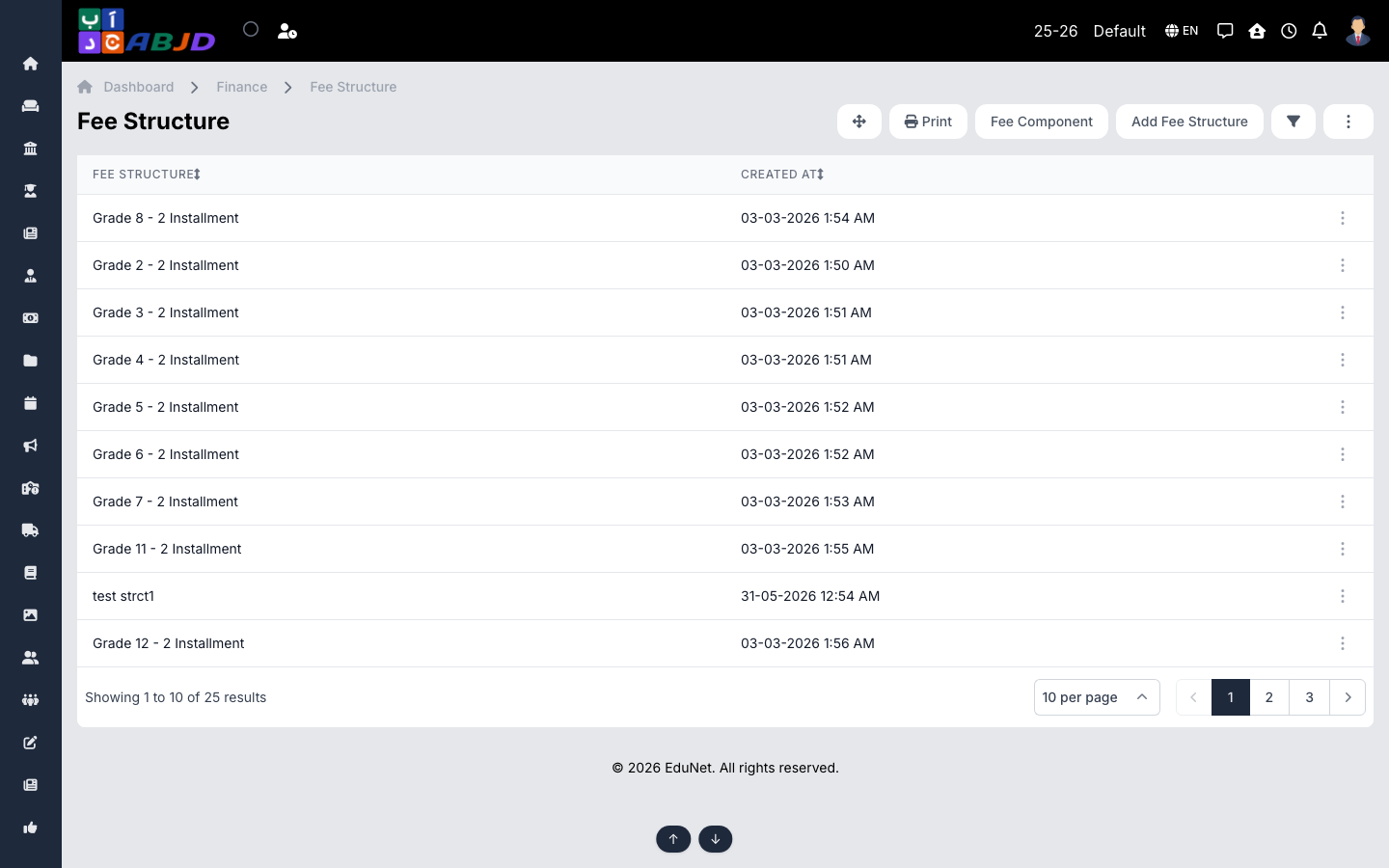
A fee structure is the complete fee plan assigned to students — it defines the installments, their due dates, and the amount of each fee head in every installment. Once assigned, the structure drives fee collection, due reports and reminders.
Open it from the sidebar: Finance → Fee Structure.
Create a fee structure
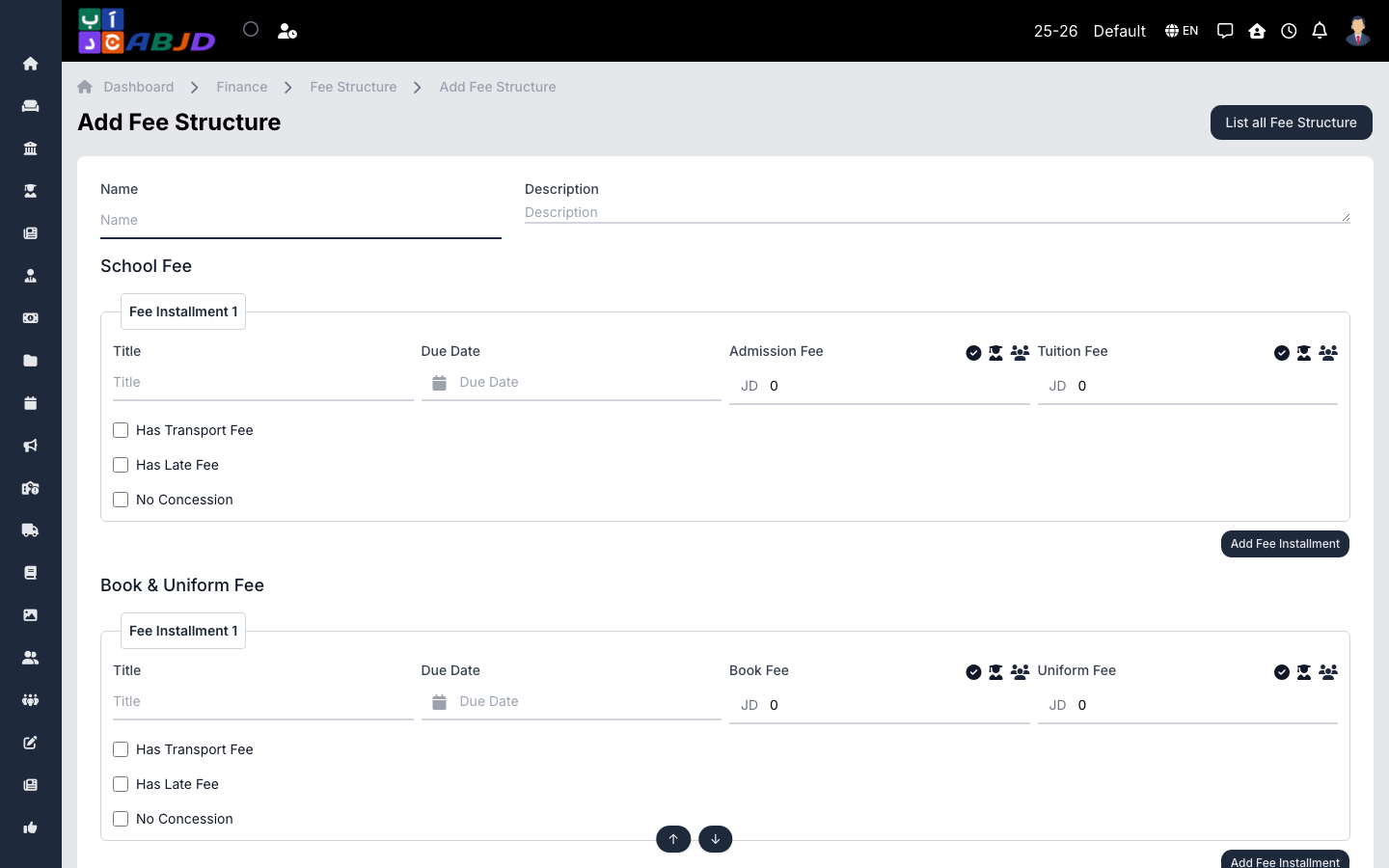
- Click Add Fee Structure and enter the name (e.g.
Grade 5 — 2026) and an optional description. - For each fee group (e.g. School Fee, Book & Uniform Fee) add one or more fee installments:
- Give the installment a title and a due date.
- Enter the amount per fee head (e.g. Admission Fee, Tuition Fee).
- Tick Has Transport Fee if the transport fee (from the Transport module) should be added to this installment.
- Tick Has Late Fee to apply the configured late charge after the due date.
- Tick No Concession to exclude the installment from concession discounts.
- Use Add Fee Installment to add more installments, then click Save.
Row actions
- View — see the structure with its installments and totals.
- Delete — only possible while the structure is not assigned to students.
Tip: after saving, assign the structure to students from the student fee allocation — the due amounts then appear automatically in Fee Due reports and payment screens.