
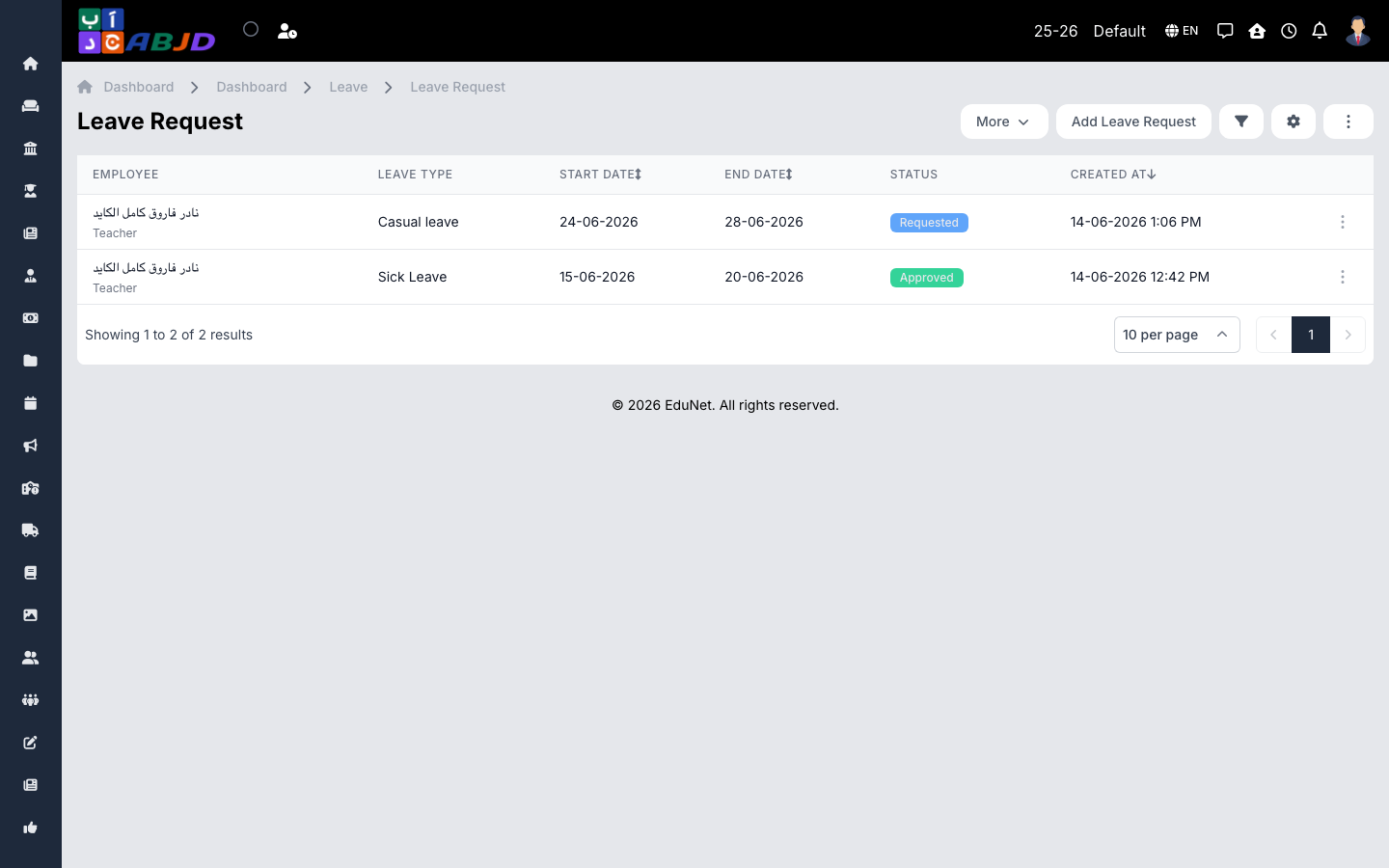
The Leave screen manages staff leave: employees (or HR on their behalf) submit requests, approvers act on them, and balances are tracked against the period’s leave allocations per leave type.
Open it from the sidebar: Employee → Leave.
Create a leave request
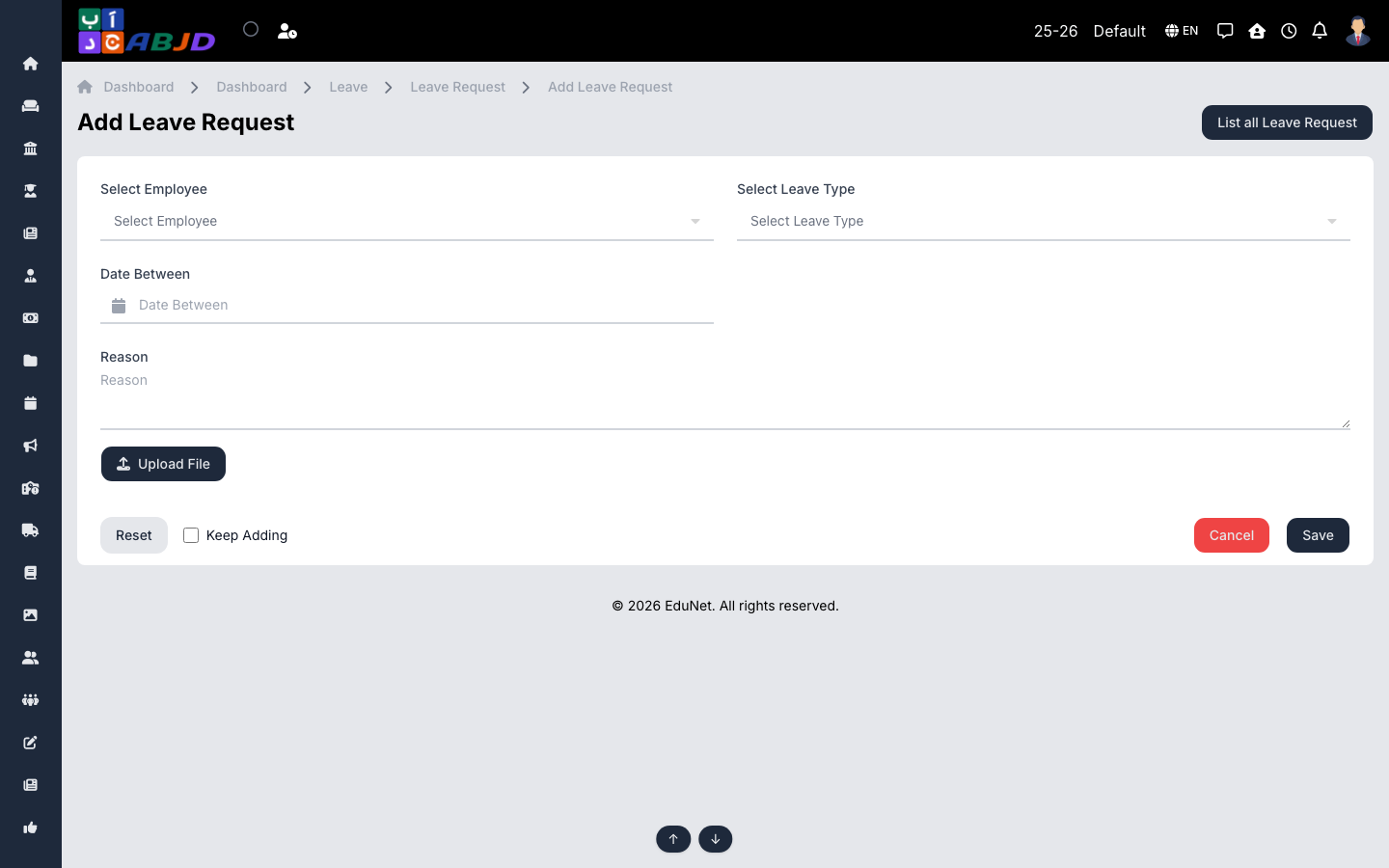
- Click Add Leave Request.
- Select the employee, the leave type and the start/end dates.
- Add the reason and any supporting attachment.
- Click Save — the request enters the approval flow.
Approve or reject
Open a pending request and choose Approve or Reject. Approved leave is deducted from the employee’s allocation and reflected in attendance and payroll.
Tip: leave types and per-employee allocations are managed under the same menu — set the year’s allocations before the first requests arrive.